

Uploading Files
You can upload many kinds of files, including: 2D Images, 3D assets, 360 degree photos, and more!
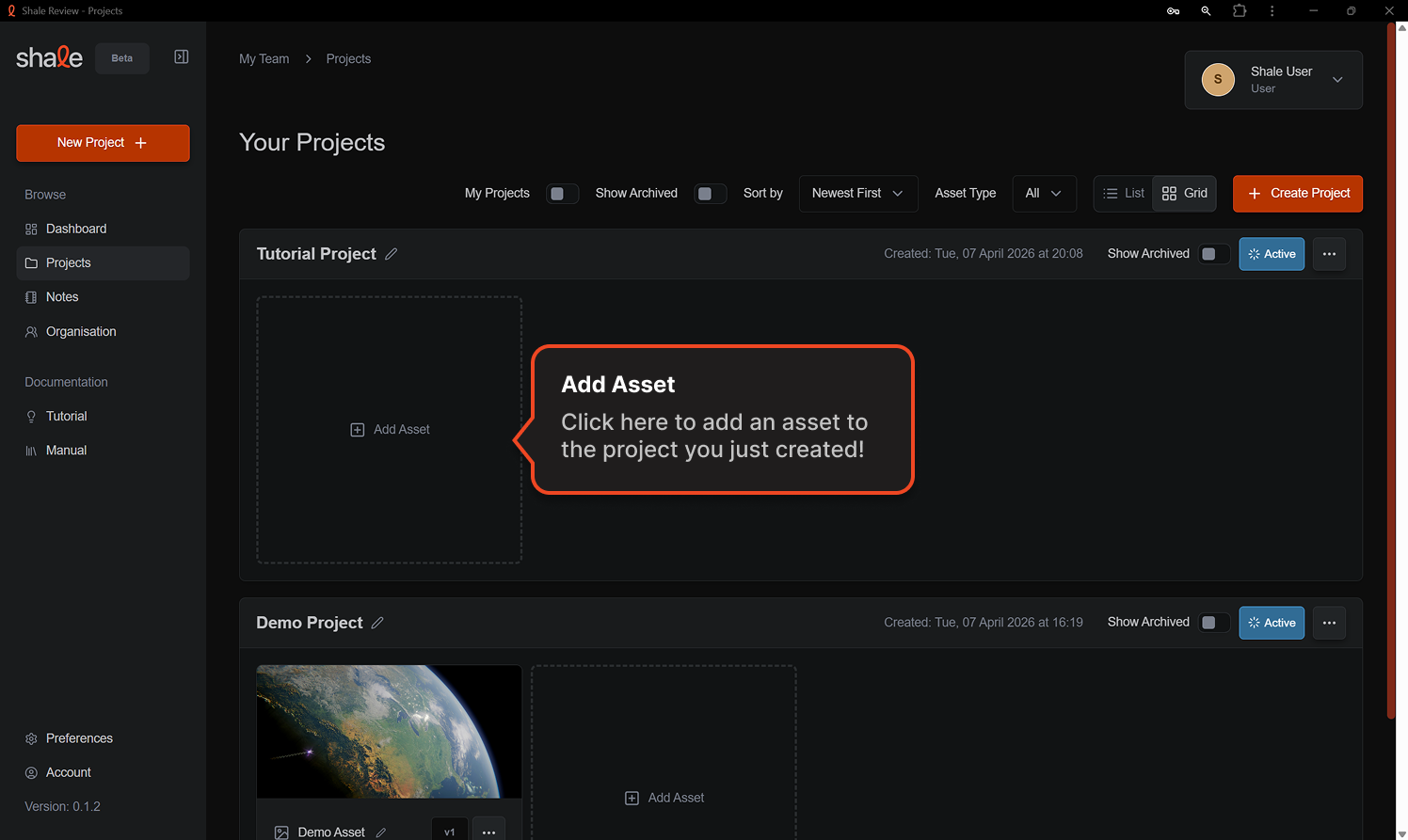
Click on the Add Asset button in the project you’d like to add an asset to in the project page.
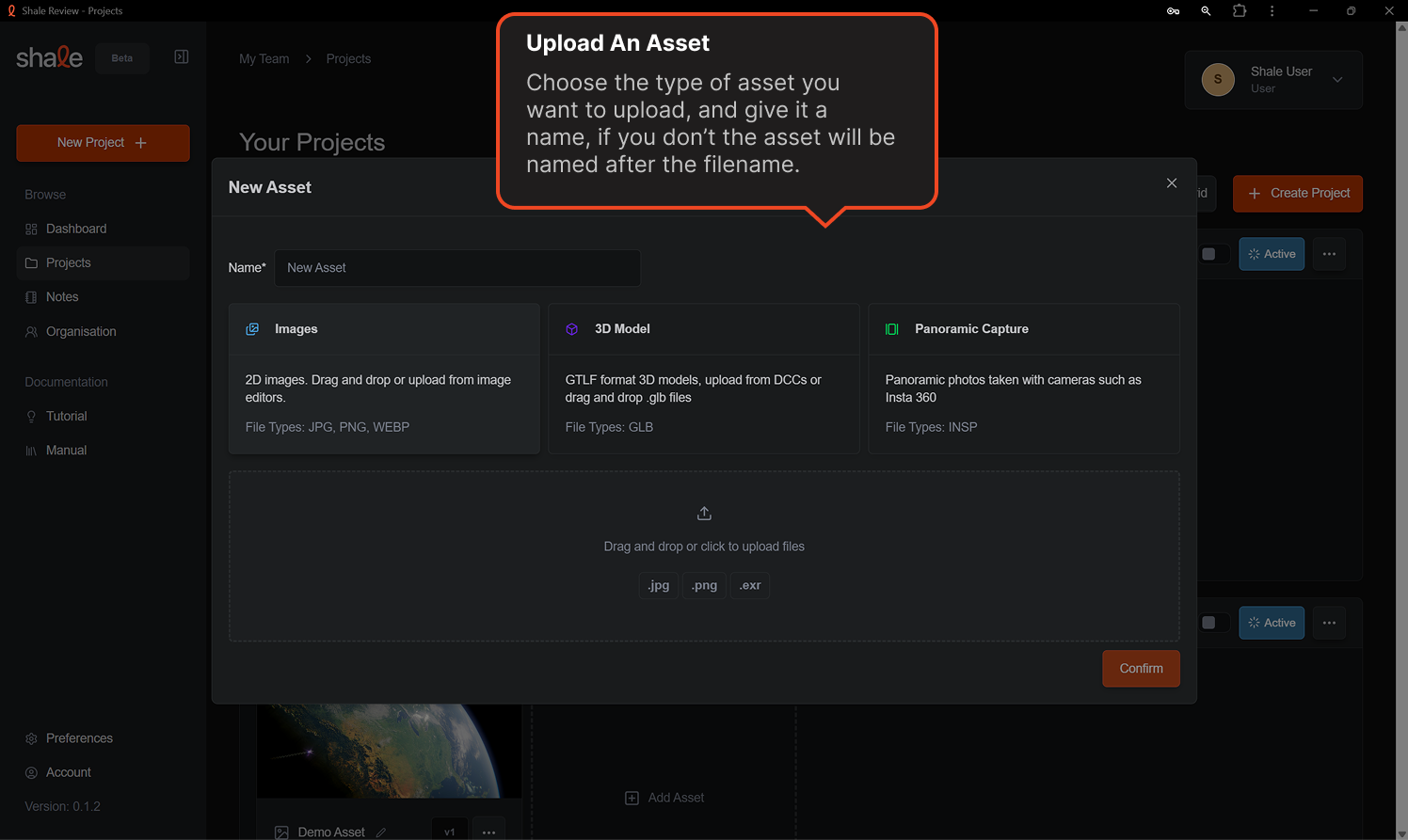
Now choose the type of asset you want to upload. Give it a name and drag and drop the file in, or click to browse.
From here you will go on leave comments, feedback and review your asset with your team!