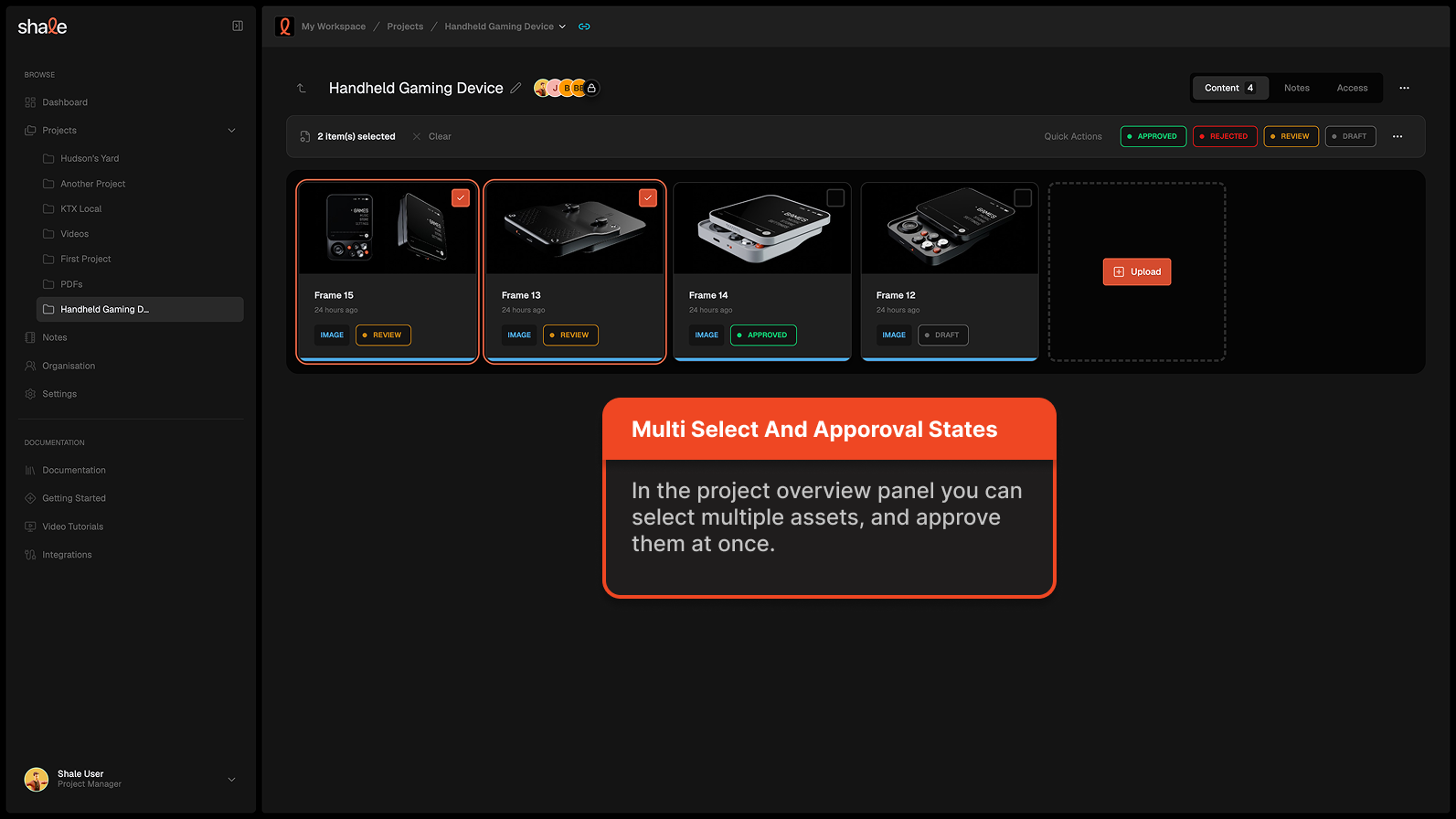

Approval States
You can use approval states to categorize and show the current status of assets.
Currently the approval states are:
Section titled “Currently the approval states are:”- Approved
Section titled “- ”- Rejected
Section titled “- ”- Review
Section titled “- ”- Draft
Section titled “- ”This can happen in multiple places
- inside the asset overview panel
- during the asset review process
- for multiple assets at the same time in the project overview panel
Inside the asset overview panels
Section titled “Inside the asset overview panels”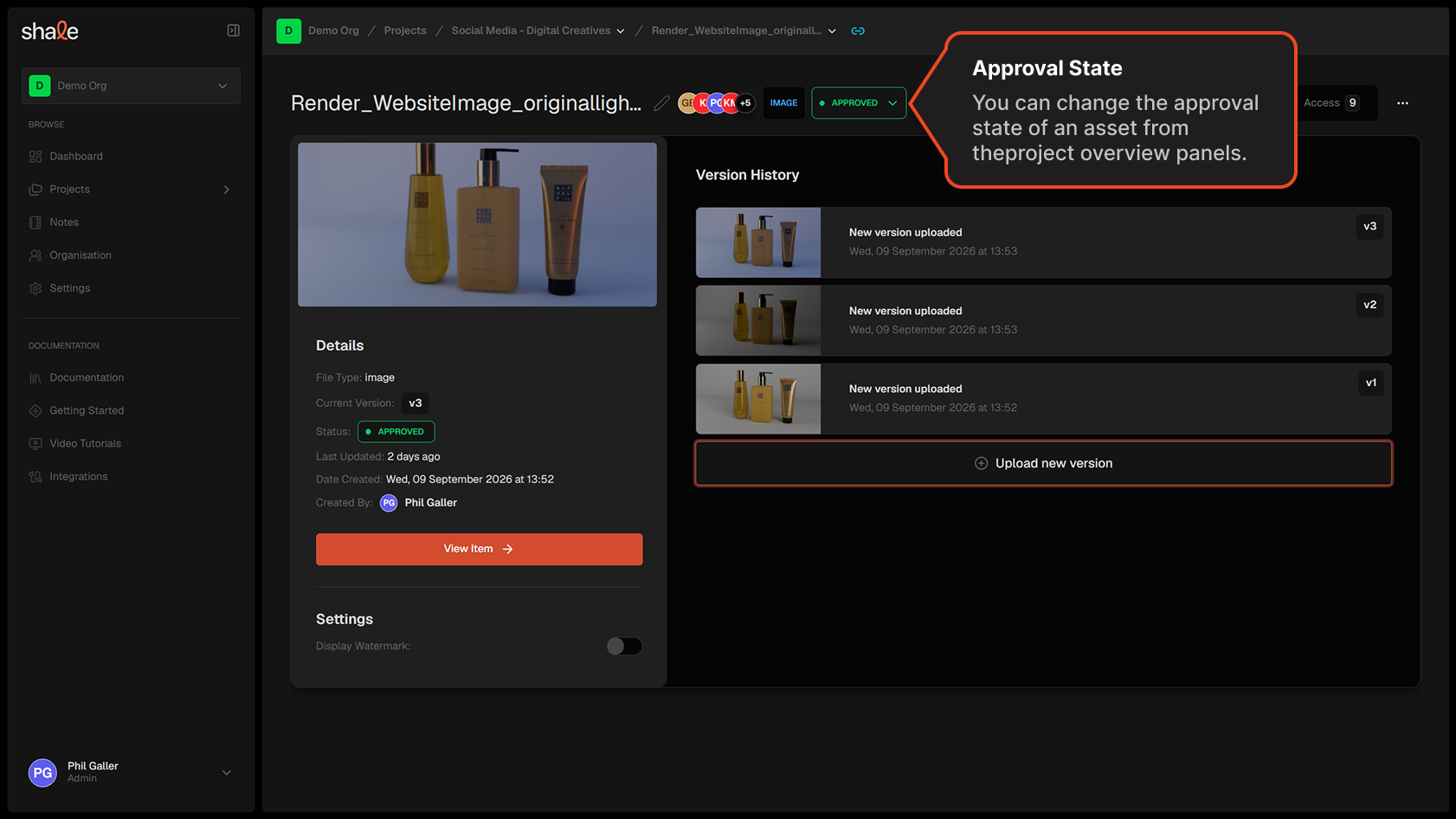
During an asset review
Section titled “During an asset review”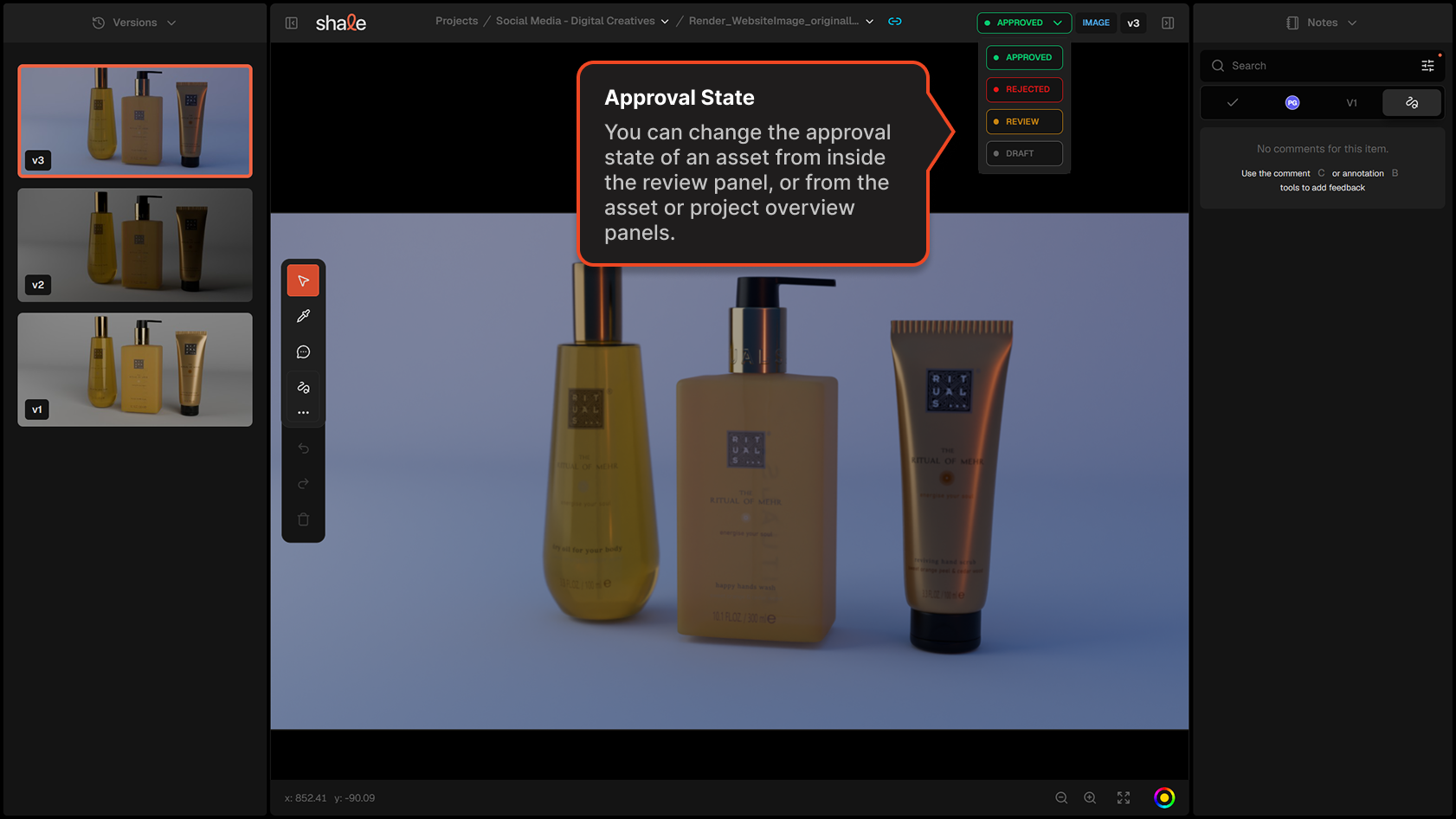
Multiple items at once can be approved inside the project overview panel
Section titled “Multiple items at once can be approved inside the project overview panel”