

Comments & Notes
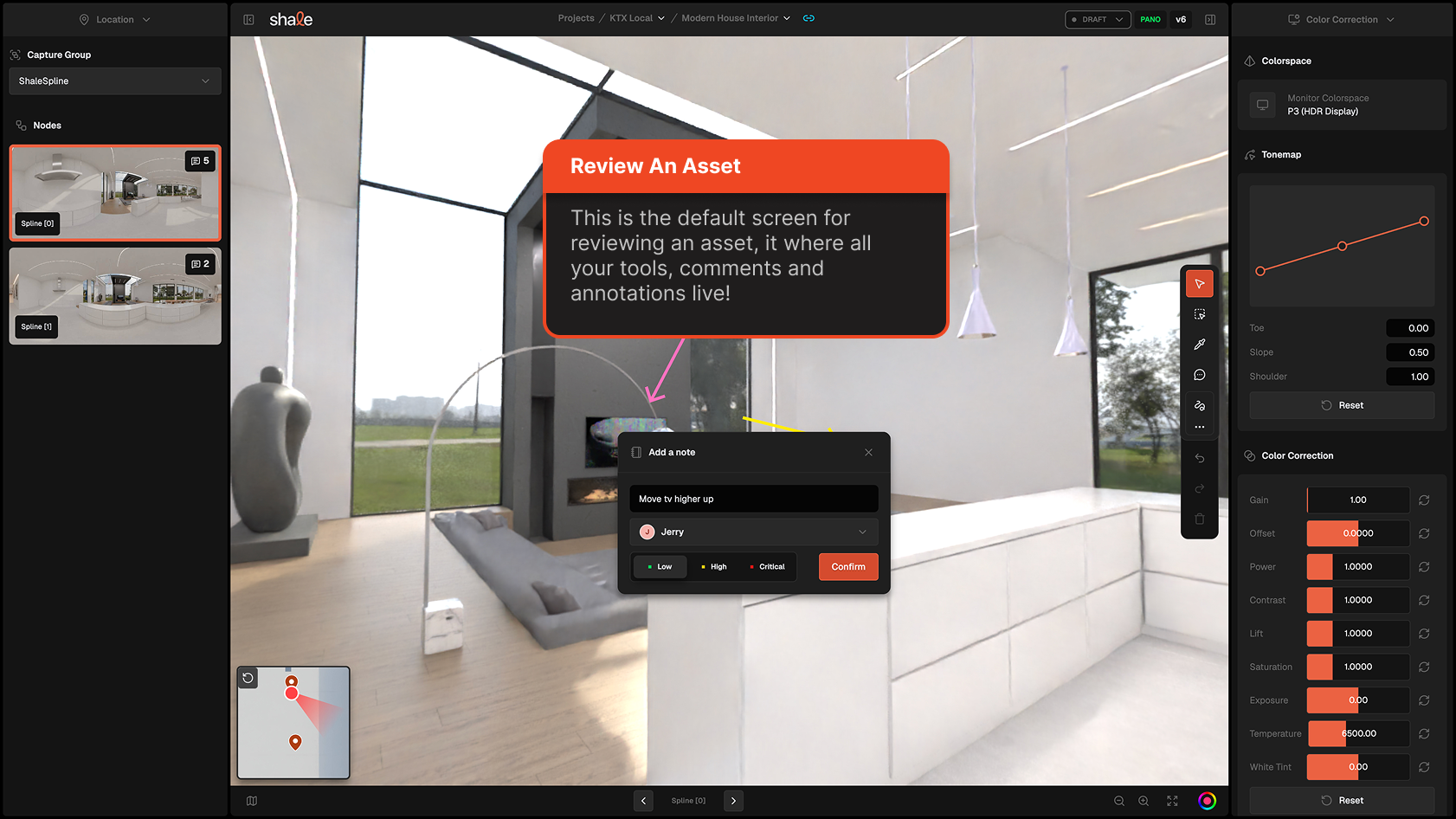
Shale’s comment system ties written feedback directly to a position and camera angle in the scene, so reviewers can always see exactly what a note refers to.
Creating a comment
Section titled “Creating a comment”Double click anywhere in the review environment to place a spatial note. Notes can contain:
- Written text
- Drawn annotations (via the brush engine)
You can also use the toolbar at the top of the UI, or press the “C” key to enter comment mode.
Comments can be assigned and applied a level of priority, which will help creators identify where to focus their attention.
Comment threads
Section titled “Comment threads”Comments support threaded replies, so conversations stay attached to the relevant scene location rather than drifting into external chat tools.
Resolving Comments
Section titled “Resolving Comments”Comments can be marked with either “resolved” or “Open” states